Introduction
This page provides evidence that all web pages I personally implemented for the ProjectBlue website have been validated using the W3C Markup Validation Service. Validation confirms that the HTML in each page follows web standards and contains no errors.
The pages validated on this page are the three pages I was responsible for building as Student 4:
- profile.html — The User Profile Page
- sitemap.html — The Sitemap Page
- content_ST4.html — My individual Content Page
The Page Editor and this Validation Page are excluded from validation as specified in the coursework brief.
1. User Profile Page — profile.html
The User Profile page collects personal information via JavaScript prompt() calls and
dynamically renders the results into the DOM using document.createElement and
appendChild().
Validation Screenshot
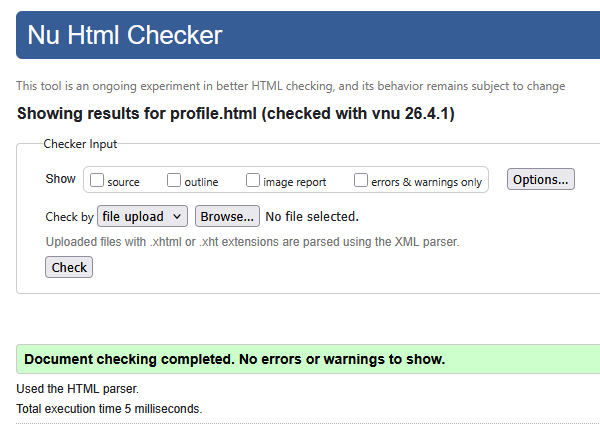
Result: Initially flagged warnings due to empty <span> elements.
Fixed by adding placeholder text. Page now passes with no errors or warnings.
2. Sitemap Page — sitemap.html
The Sitemap page uses a fully SVG-based tree diagram with <rect>,
<path>, and <circle> elements linked via standard
href attributes to all major pages on the site.
Validation Screenshot
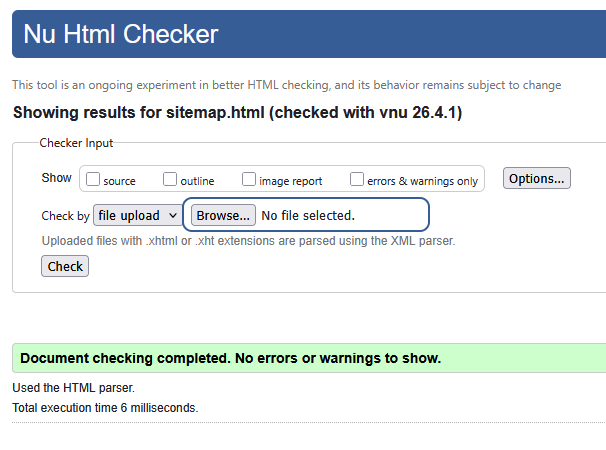
Result: Initially flagged deprecated xlink:href usage in SVG.
Fixed by replacing all instances with HTML5 href. Page now passes with no errors.
3. Content Page — content_ST4.html
The Content Page uses a responsive CSS grid layout to present information on Water Ecosystems,
with nested <section> elements and structural heading tags throughout.
Validation Screenshot
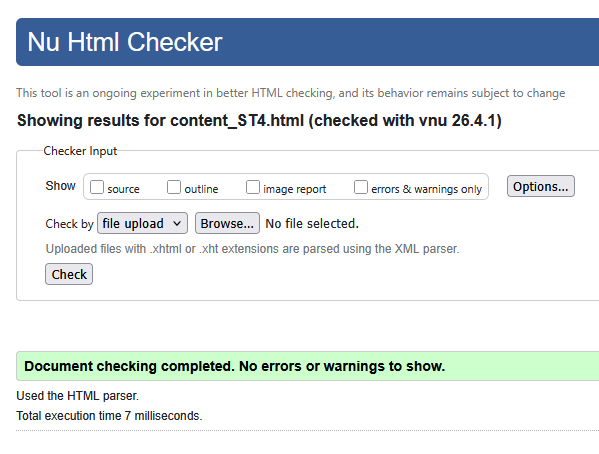
Result: Initially flagged structural depth warnings about nested sections missing headings. Fixed by reorganising grid and heading hierarchy. Page now passes with no errors.
Reflection on Validation
Errors Encountered
Across all three pages, the validator flagged different issues before the final screenshots were taken.
On profile.html, the validator flagged empty <span> elements that were waiting
to be populated by JavaScript, causing accessibility warnings for screen readers.
On sitemap.html, the deprecated xlink:href attribute used in the SVG nodes was flagged
immediately as it is no longer valid in HTML5.
On content_ST4.html, nested <section> elements without dedicated headings triggered
structural depth warnings about the document outline.
How They Were Resolved
On profile.html, I added default placeholder text of "..." inside the empty
<span> elements so the validator and screen readers see valid content
even before JavaScript runs.
On sitemap.html, I replaced every instance of xlink:href with the HTML5-standard
href attribute, which is fully supported in modern SVG.
On content_ST4.html, I restructured the grid markup to ensure every <section>
had an appropriate heading, resolving all outline warnings.
What I Learned
Running my pages through the W3C validator taught me to think about how the browser and assistive technologies interpret my markup before scripts run. Empty nodes and deprecated attributes are easy to overlook when writing code but cause real accessibility problems. I will validate earlier in the development process on future projects rather than leaving it to the end.